How to Add a Booking Engine to Your Vacation Rental Website with Lodgify
If you own a vacation rental, boutique hotel, or short-term rental property, having a beautiful website is only part of the equation. Ideally, your website should also make it incredibly easy for guests to check availability and book their stay.
And if you're a website designer working with hospitality clients, you've probably run into the same question:
How do I add a booking engine to a Squarespace website without building a complicated custom system?
This is something I've encountered on several vacation rental website projects, and one of my favorite solutions is Lodgify.
Lodgify gives property owners the tools to manage reservations and accept direct bookings, while allowing designers to build the actual marketing website on a platform like Squarespace. It's a combination I've used on client projects including Tropic Shores Apartments and Watermark Carpinteria.
Here's how it works, why I like this setup, and what you should know if you're considering adding a vacation rental booking engine to your own website.
Affiliate disclosure: This post contains affiliate links. If you sign up for Lodgify through one of my links, I may receive a commission at no additional cost to you. I only recommend tools I've personally used in my client work.
Why Create a Direct Booking Website for Your Vacation Rental?
Platforms like Airbnb and Vrbo are incredibly useful for vacation rental owners. They put your property in front of a huge audience and give travelers a familiar way to search and book.
But they don't have to be your only booking channel.
Creating your own direct booking website for your vacation rental gives you a home base for your property and your brand.
Instead of every marketing effort sending visitors back to a third-party listing, you can send people to your own website where they can explore the property, learn more about the destination, see your amenities, read FAQs and ultimately book their stay.
This can be particularly helpful for repeat guests, referrals, social media traffic and people who find your property through Google.
It also gives you much more freedom from a design and branding perspective.
Your website isn't restricted to the same layout as every other Airbnb listing. You can tell the story of the property, showcase beautiful photography, highlight the surrounding area and create an experience that actually feels like your brand.
The trick is connecting that beautiful website to the technology needed to actually manage reservations.
That's where Lodgify comes in.
What Is Lodgify?
Lodgify is a vacation rental software platform designed for short-term rental owners and property managers.
Among its features are a vacation rental booking engine, reservation management, payments and a channel manager that can connect your availability across platforms such as Airbnb, Vrbo and Booking.com.
But one of the features I'm most interested in as a website designer is the ability to use Lodgify with an existing website.
That means I don't have to design the entire client website inside of their property management software.
Instead, I can build a custom, branded website in Squarespace and use Lodgify to power the booking functionality behind it.
For me, that's the sweet spot.
Squarespace handles the brand and website experience. Lodgify handles the reservations.
How Squarespace and Lodgify Work Together
If you're building a Squarespace website for a vacation rental, there are a couple of ways you can integrate Lodgify.
The simplest option is to create a prominent Book Now or Reserve Now button on the Squarespace website that connects visitors to the property's Lodgify booking experience.
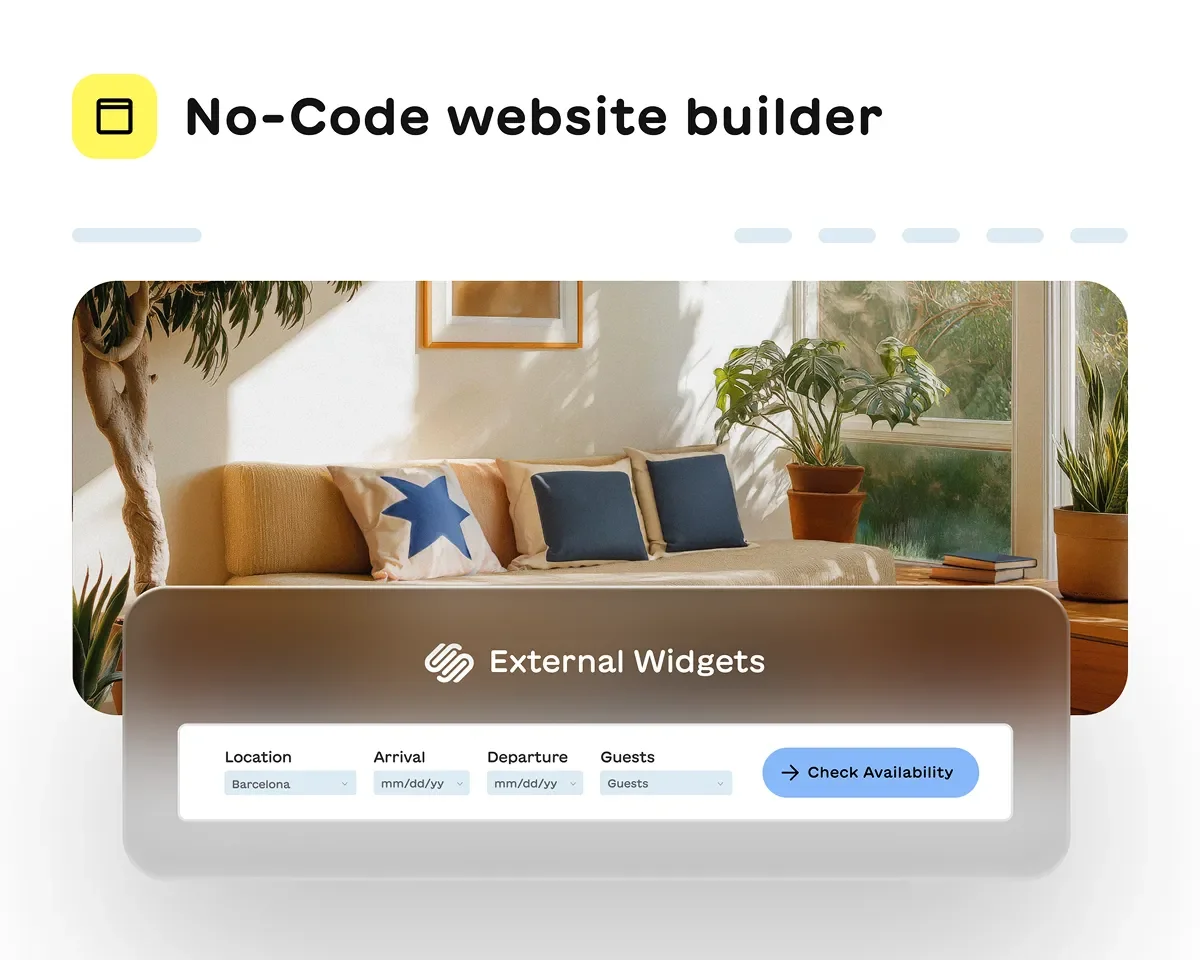
You can also embed Lodgify's booking widgets directly into an existing website. Lodgify offers both search and booking widgets, and their embed system is compatible with Squarespace as well as platforms including WordPress, Wix and Webflow.
On Squarespace, the generated code can be added using a Code or Embed Block.
This gives you a lot of flexibility as a designer.
You can create the website experience you want rather than trying to make your entire design fit within the limitations of a booking platform.
A Real Example: Tropic Shores Apartments
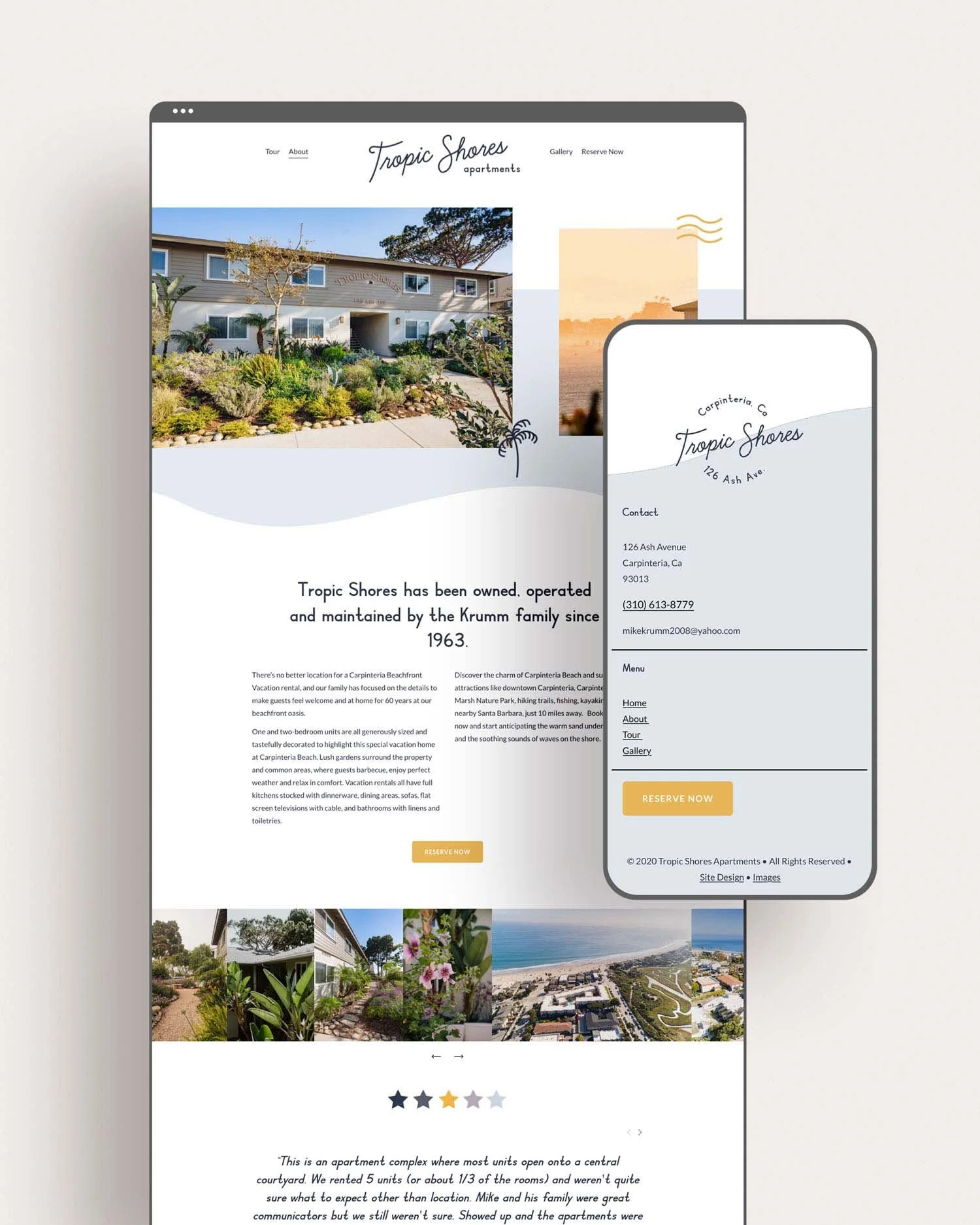
One project where I've used this setup is Tropic Shores Apartments.
The website needed to do more than simply display available accommodations. It needed to introduce visitors to the property, establish the overall feel of the experience and make it easy for potential guests to take the next step.
The website itself provides that branded experience, while the reservation functionality is handled through Lodgify.
Visitors can browse the website and then use the Reserve Now call to action when they're ready to check availability and book.
For designers, this is an important distinction.
You don't necessarily need to force an entire reservation system into the website itself. Sometimes the cleanest user experience is simply creating a clear path between the marketing website and the booking engine.
Another Example: Watermark Carpinteria
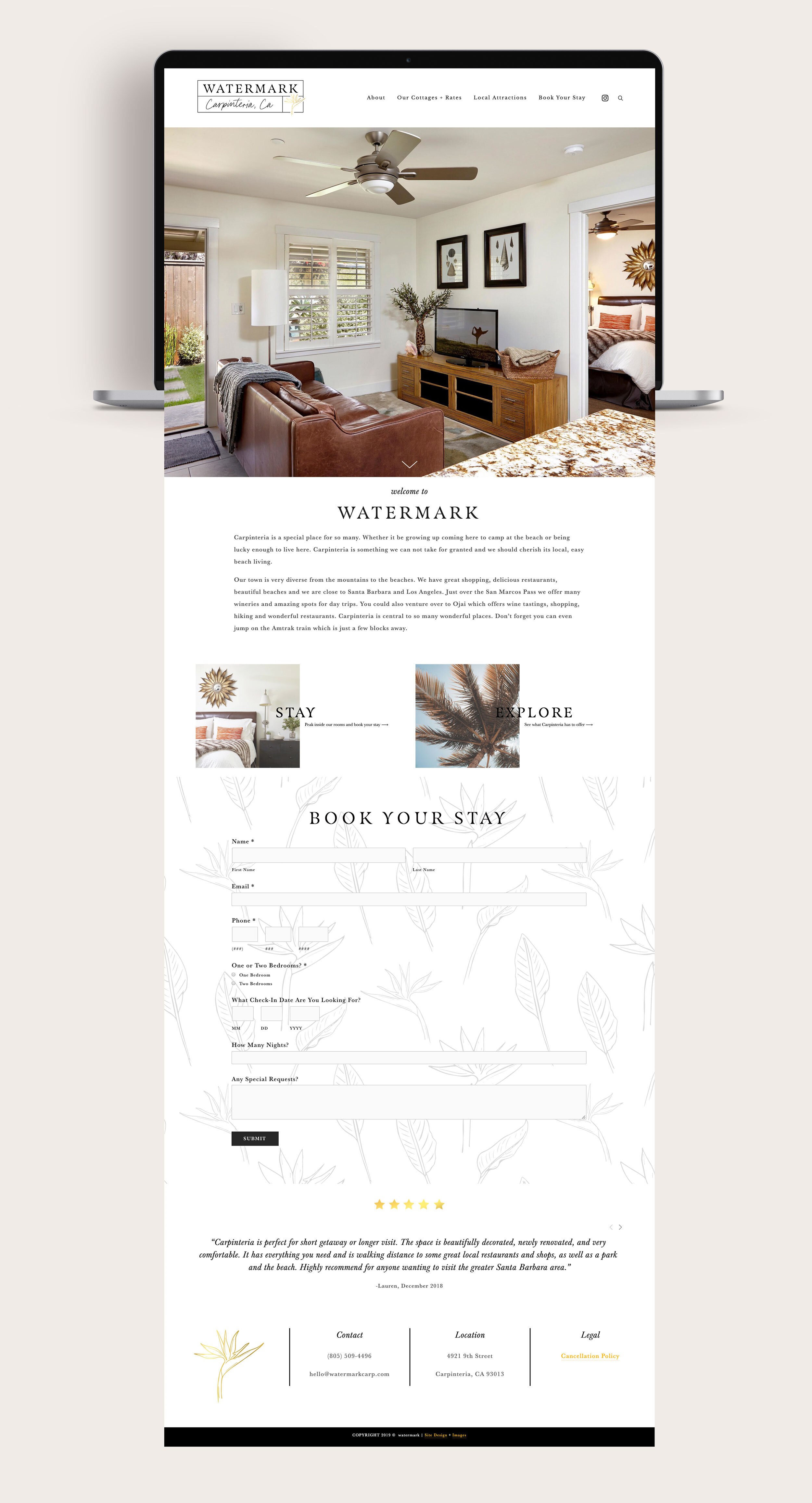
I also used Lodgify when building the website for Watermark Carpinteria, a collection of vacation rentals in Carpinteria, California.
With multiple properties, having a system that can manage availability while still allowing us to create a polished, custom website experience was especially important.
This is where a dedicated vacation rental booking platform becomes much more useful than trying to piece together a calendar, inquiry form and payment processor yourself.
The website can focus on selling the experience: the properties, the location, the photography and everything guests can enjoy while they're there.
The booking software can focus on what it does best: reservations, rates, availability and payments.
Why I Recommend Lodgify to Other Website Designers
As designers, we don't need to reinvent every piece of technology our clients need.
In fact, I'd rather not.
When I'm building a website for a short-term rental, I want to spend my time creating a strong brand experience and an easy-to-navigate website, not developing a reservation management system from scratch.
Using a third-party vacation rental booking engine makes it possible to give the client the functionality they need without dramatically expanding the development scope of the project.
It also means the property owner has a platform specifically designed to manage the operational side of their rental.
And because Lodgify can integrate with an existing site, you're not limited to using their website builder.
You can still create a completely custom Squarespace website for your client.
How to Add Lodgify to a Squarespace Website
The basic setup is surprisingly straightforward.
First, you'll create your Lodgify account and add the rental property or properties. From there, you'll configure details such as rates, availability, booking rules and policies.
If the property is also listed on third-party booking sites, those channels can be connected so calendars stay synchronized.
Then you'll decide how you want guests to move from your website into the booking process.
For some projects, I prefer a simple Book Now button that links directly to the booking experience.
For others, you can generate a Lodgify booking widget and embed it directly into the Squarespace website using a Code or Embed Block.
Lodgify allows you to customize aspects of the widget so it works with the website design rather than feeling completely disconnected from the brand.
From there, test everything on desktop and mobile. I always recommend walking through the booking process exactly as a guest would before launching the site.
Don't Forget About the Website Around the Booking Engine
One thing I think is easy to overlook is that adding a booking engine isn't the same as creating a great vacation rental website.
The booking engine handles the transaction.
Your website still needs to make someone want to book.
That means great photography, thoughtful copy, clear amenities, location information, FAQs, policies and plenty of obvious calls to action.
For SEO, I also recommend creating content around the location itself.
Instead of relying only on a page titled "Our Rental," think about the phrases travelers might actually search, such as:
Carpinteria vacation rentals
beach vacation rentals in Carpinteria
where to stay in Carpinteria
short-term rentals near Santa Barbara
vacation rentals near the beach
family-friendly vacation rentals
You can incorporate relevant search terms naturally throughout your page titles, headings, website copy and blog content.
This is one of the biggest advantages of having your own website in the first place. You're creating a long-term marketing asset that can be discovered independently of Airbnb or Vrbo.
Is Lodgify Right for Your Vacation Rental Website?
If you want a custom website while still having a dedicated system for managing direct vacation rental bookings, Lodgify is definitely worth considering.
I especially like it for property owners who want their website to feel like its own hospitality brand rather than simply another listing.
And for fellow Squarespace designers, it's a useful tool to have in your back pocket when a client inevitably says:
"We love the website, but can people actually book through it?"
Yes. They can.
You don't have to build the booking system yourself, either.
Want to try Lodgify for your own vacation rental website?
And if you're a vacation rental owner who would rather have someone handle the website side for you, Studio Seaside designs custom Squarespace websites for vacation rentals, boutique hotels and hospitality brands. Get in touch to learn more about creating a website that looks beautiful, showcases your property and gives guests an easy path to booking their stay.