Squarespace SEO Launch Checklist
Note: This blog post contains affiliate links, however, I only recommend brands that I use and love.
It’s one thing to build a beautiful Squarespace website, but if no one ever sees it what’s the point?! Setting your website up for SEO success is one way to ensure traffic to your website. Luckily with Squarespace, they make it really easy to get your website set up on the back end for SEO success.
Below are the action steps I take for each of my clients before launching their websites. Whether you’re working with a designer or DIY-ing these apply to your site too!
SSL Certificate
Secure Sockets Layer or SSL is a security measure on your site that ensures your viewers data and privacy are safe. Some browsers like Chrome won’t even allow you to visit sites that are not secure. Every Squarespace domain comes with a SSL certificate but if you are using a third party domain you need to enable the certificate. For a tutorial on how to do this, check out the Squarespace blog here.
ALT Tags for images
Alternative names or and ALT tag is the name of your image, typically something like “DC_10262” or “IMG_10242”. By renaming your images with key words or descriptions of the image you have a better chance of showing up when people search online with using those keywords. For more on how to add ALT tags, check out the Squarespace blog here.
Content Headings
So that Google and other search engines can reach and index your site quickly you’ll want to make sure you content is organized properly. Squarespace has built in content structure which you can access your tool box when editing your text. You will see the following:
Heading One
Heading Two
Heading Three
Normal
You need to have the Heading One be the title of the page, for example “About Me”, heading two will briefly explain the page “I am a designer, mom and surfer” then moving down in body copy which should be normal. Structuring your content in this way tells Google what the page is about and is more likely to pull up your site when someone is doing a search online.
Google Business
Even if you're an online business you can add it to Google for your general area. I am listing as a designer in the Santa Barbara and surrounding areas and even though my physical address isn’t linked it still comes up when someone searching “Graphic designer Santa Barbara”. You can follow the instructions here to set up your Google Business Listingom/business/answer/10514137?hl=en
Key words
Tailor the content on each page to your specific audience and what they might be searching for. The home page of your business website, should state exactly who you are and what you do/offer (Read: Your Position Statement).
Think about key words or phrases that people might use to search for your business and incorporate them into your content. For example:
Search Term: "Santa Barbara Graphic Design"
Content on Page: "Three Feathers Design is a Santa Barbara based graphic design studio dedicated to helping businesses succeed. It aims to help bridge the gap between communication and design by using a variety of techniques to achieve results based on it’s understanding of color, typography, photography animation, layout and media."
The content of your home page is relevant to the types of searches users will be using and should incorporate the key words from the search into the content of our page. Don't be greedy with your keys words, this can lower your ranking. Try to make the content of your page feature the key words as naturally as possible.
Need help finding keyword for your industry? Check out the super handy tool, Ubersuggest.
Meta Data
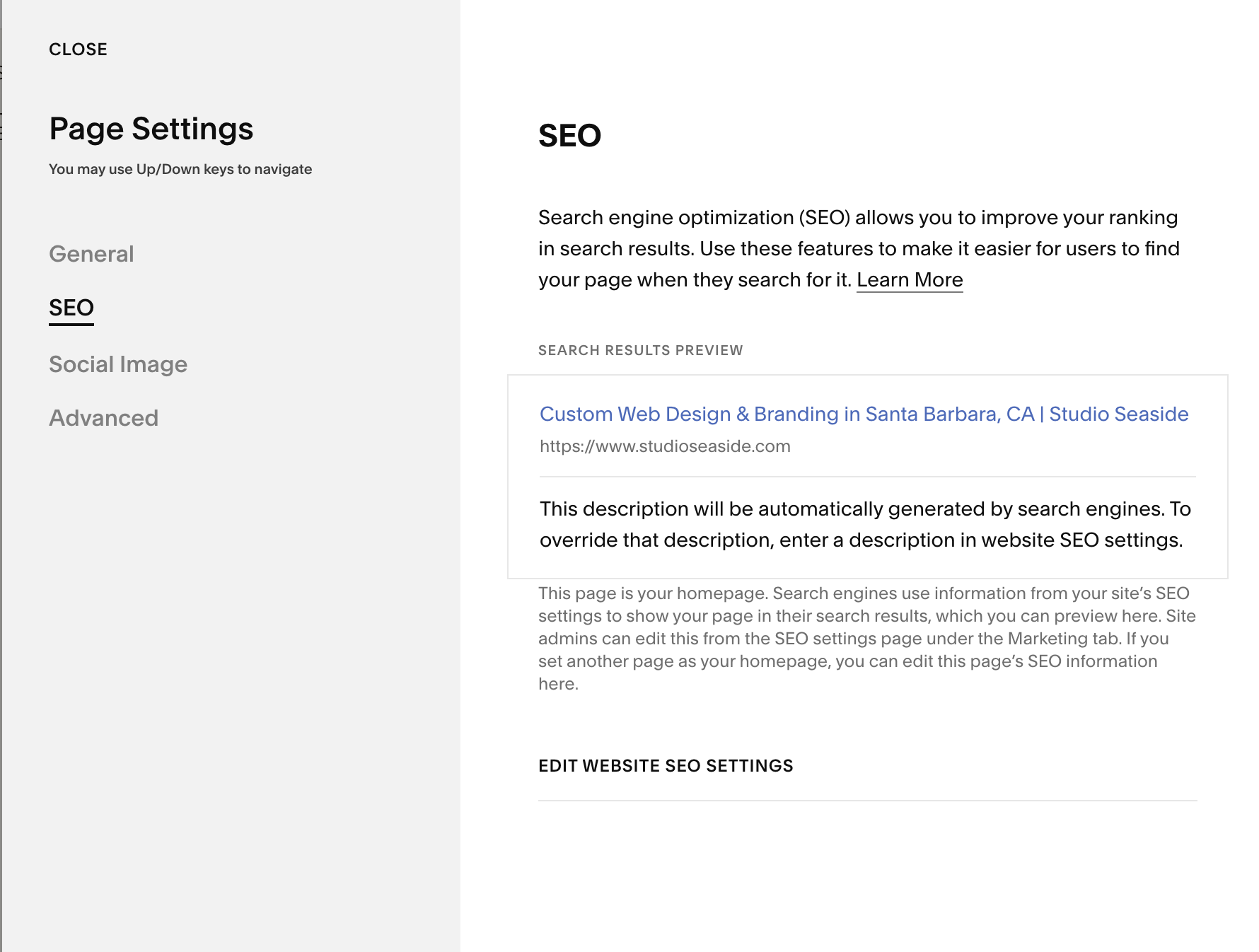
Meta what? Put easily, meta data is the title of your website, the title of each individual page page and the description given on the backend of your website. The page description should incorporate the keys words talked about above.
Squarespace makes it really easy to enter all of your meta data in one place. If you go to Page Settings > SEO you can enter your Search Results Preview, SEO Title and SEO Description, Read more here.
Blog Posts
A great way to get traffic on your site is to feature new and relevant content. The easiest way to feature new content on your website is through a blog. ‘Relevant and quality content’ is content that matches the users search query as closely as possible.
Before launching your site I recommend having 2-3 blog posts already published and then continuing to publish to your blog regularly. This is will get more leads to your website.
Submit URL to Google
Once your site it launched and ready for visitors, you can submit it to Google so that it will begin indexing your site. You can read more about submitting your site to Google here.
Custom 404 Page
A 404 page is the error page a user will get when they visit a link to your site that doesn’t exist. Creating a custom 404 page gives you an opportunity to point the user where you want them to go. Read how to set up a custom 404 page here.
For a more comprehensive list of Squarespace SEO tips, check out this article.